Mac apps that do one job well.
Clak turns speech into text in any app. Zoomer records your screen and adds the zooms for you. Flick runs Gmail from the keyboard.
Clak and Zoomer have free plans · Flick has a 14-day free trial · Apple silicon and Intel


Voice to text wherever you type.
Press Control + Option in any Mac app and speak. Press it again, and Clak pastes clean text at your cursor.
Free with 8,000 words a month · Clak Pro $10/month · macOS 11 or later · Apple silicon and Intel
Can we move the design review to Thursday at 3? I'll send the updated mockups tonight.
Works in any app
Press Control + Option in any text field and speak. You can change the shortcut in Settings.
Custom dictionary
Add names and terms so Clak spells them your way.
Spoken snippets
Say a short phrase and Clak replaces it with text you saved.
Edit by voice
Select text, press your shortcut, and say what to change, like "make it shorter".
Meeting notes
Clak detects Zoom, Teams, Slack, Google Meet, and more, labels each speaker, and writes a summary.
16 languages
Dictate in any of 16 languages, with lowercase, short paragraphs, or spoken punctuation.
Record your Mac. Zoomer adds the zooms.
Capture a display, window, or region with system audio. In zoom mode, Zoomer zooms in where you click, so you never build keyframes by hand.
Free plan · Zoomer Pro $15/month · macOS 13 or later · Apple silicon and Intel
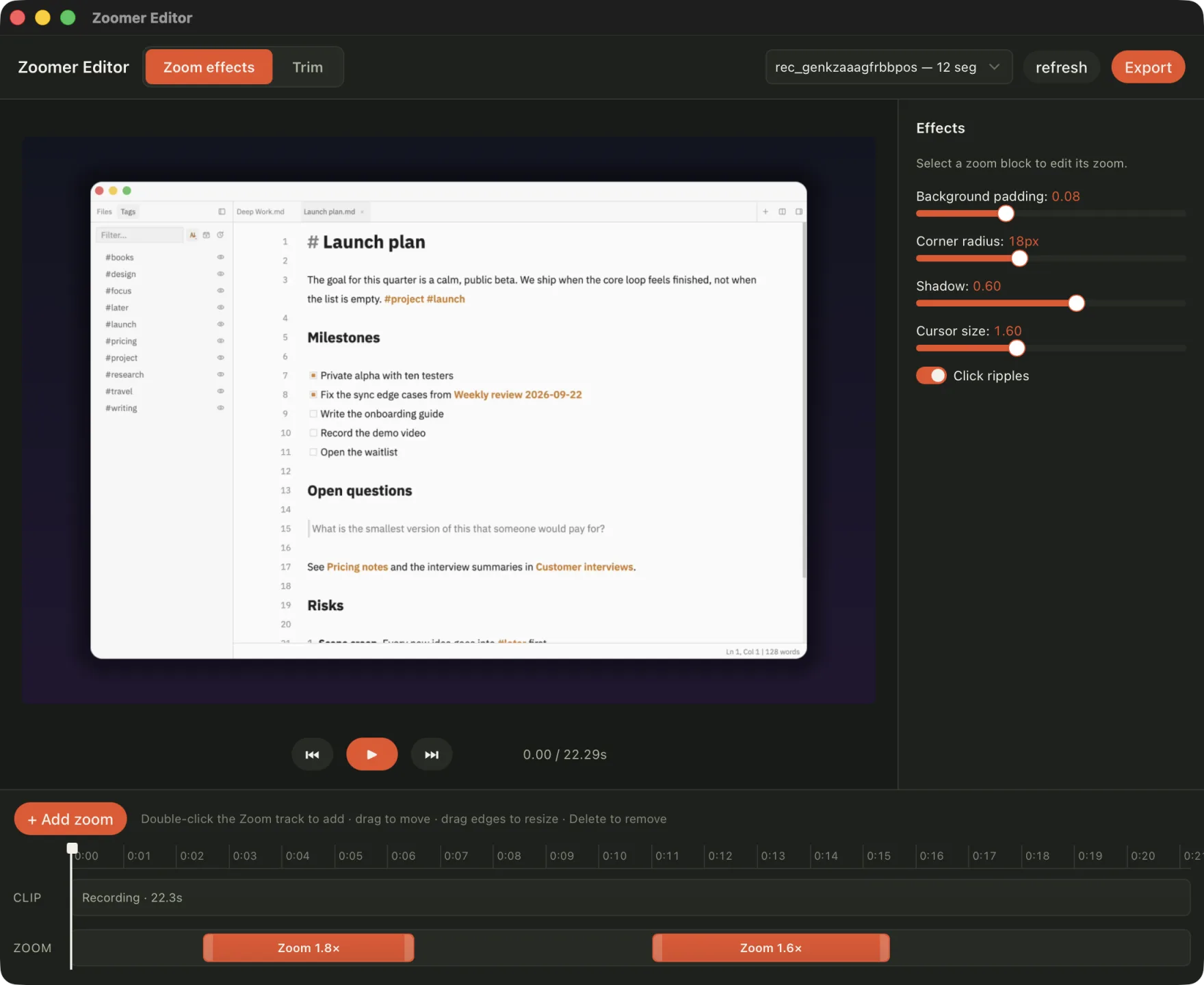
Display, window, or region
Record a whole display, one window, or an area you drag out.
Zooms where you click
Clicks close together share one zoom, so the frame does not jump.
Cursor and clicks
Zoomer redraws the cursor at the size you choose and shows a ripple on each click.
System audio and camera
Include the sound your Mac plays, and add a camera bubble from a connected camera.
Background and frame
Set the padding, corner radius, and shadow around the video.
Share links
Screenshot links are free. Recording links and 4K 60 fps exports come with Zoomer Pro.
The keyboard‑first Gmail app for Mac.
Move through your inbox with J and K, press E to mark a conversation done, and H to bring it back later. Flick connects your Mac directly to Gmail.
Free for 14 days, no card · Flick Pro $20/month · macOS 13 or later · Apple silicon and Intel
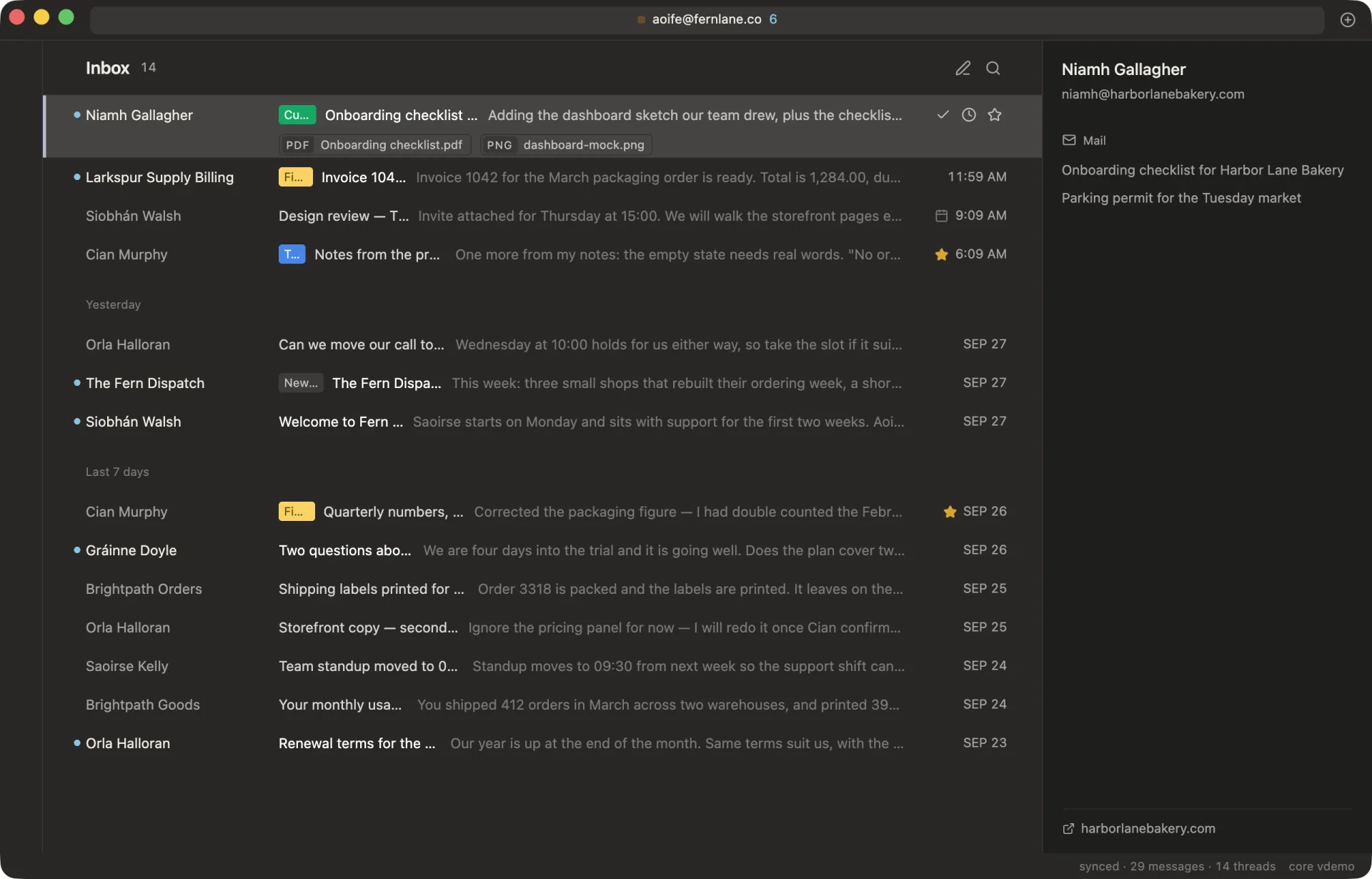
Triage from the keyboard
J and K move between conversations. E marks one done, and Z undoes the last action.
Command menu
Press ⌘K to find any command by name.
Remind me
H brings a conversation back at a time you choose, or only if nobody replies.
Undo send
Every message waits 10 seconds before it leaves, so you can take it back.
Local search
The last 90 days of mail are indexed on your Mac, so results appear as you type.
Private by design
Your messages and Gmail tokens never pass through a Flick server.
One subscription for every paid Labs app
Labs Pro covers Clak and Zoomer. Labs Ultra adds Flick and future Labs apps.
Galactus Labs Pro
$20/month
or $160/year, about $13.33 a month · $5/month less than separate subscriptions
Clak Pro and Zoomer Pro under one subscription.
Checkout runs through Zoomer today.
Galactus Labs Ultra
$30/month
or $240/year, $20 a month · $15/month less than separate subscriptions
The Pro plan for Clak, Zoomer, and Flick, plus future Labs apps when their paid plans launch.
Checkout runs through your Flick account today; an existing Labs subscription upgrades in place.
| App | Alone | Labs Pro | Labs Ultra |
|---|---|---|---|
| Clak Pro | $10/mo | Included | Included |
| Zoomer Pro | $15/mo | Included | Included |
| Flick Pro | $20/mo | Not included | Included |
| Future apps | No price yet | Not included | Included |
| Total | $45/mo | $20/mo | $30/mo |
Questions about Labs
Which Macs do the apps run on?
Clak runs on macOS 11 or later. Zoomer and Flick run on macOS 13 or later. All three support Apple silicon and Intel Macs.
What do I get for free?
Clak includes 8,000 words every month. Zoomer includes unlimited screenshots and recordings up to 10 minutes, with a small watermark. Flick is free for 14 days with no card, then $20 a month.
Which bundle should I choose?
Labs Pro is $20 a month for Clak Pro and Zoomer Pro. Labs Ultra is $30 a month and adds Flick Pro and future Labs apps when their paid plans launch.
Where do I buy a bundle?
Labs Pro checkout runs through Zoomer. Labs Ultra checkout runs through your Flick account, and an existing Labs subscription upgrades in place.
Does Flick store my email?
No. Flick connects your Mac directly to Gmail, and your messages and Gmail tokens never pass through a Flick server.
Get one email when something useful ships.
We send short release notes when an app launches or gets a meaningful update.
- available now
- Clak, Zoomer, Flick
- free plans
- Clak, Zoomer
- free trial
- Flick, 14 days